 MotionLab
How High Should a Standing Desk Be?
MotionLab Editorial · 12 min read · Education
Set a standing desk so your keyboard sits at relaxed elbow height, elbows bent about 90°, and the top of the screen at eye level. Measure, adjust, save presets. Set the work surface so the keyboard sits at or just below your standing elbow height, with shoulders relaxed and elbows bent about 90° (CCOHS, Mayo Clinic) Measure in the shoes you actually work in, standing on your mat if you use one — both change the right height
Key Takeaways
- ✓Set the work surface so the keyboard sits at or just below your standing elbow height, with shoulders relaxed and elbows bent about 90° (CCOHS, Mayo Clinic)
- ✓Measure in the shoes you actually work in, standing on your mat if you use one — both change the right height
- ✓Raise the monitor with the desk: top of the screen at or slightly below eye level, about an arm’s length (20–40 inches) away
- ✓Save separate sitting and standing presets, then keep changing position — the right height makes standing comfortable, not mandatory
How High Should a Standing Desk Be?
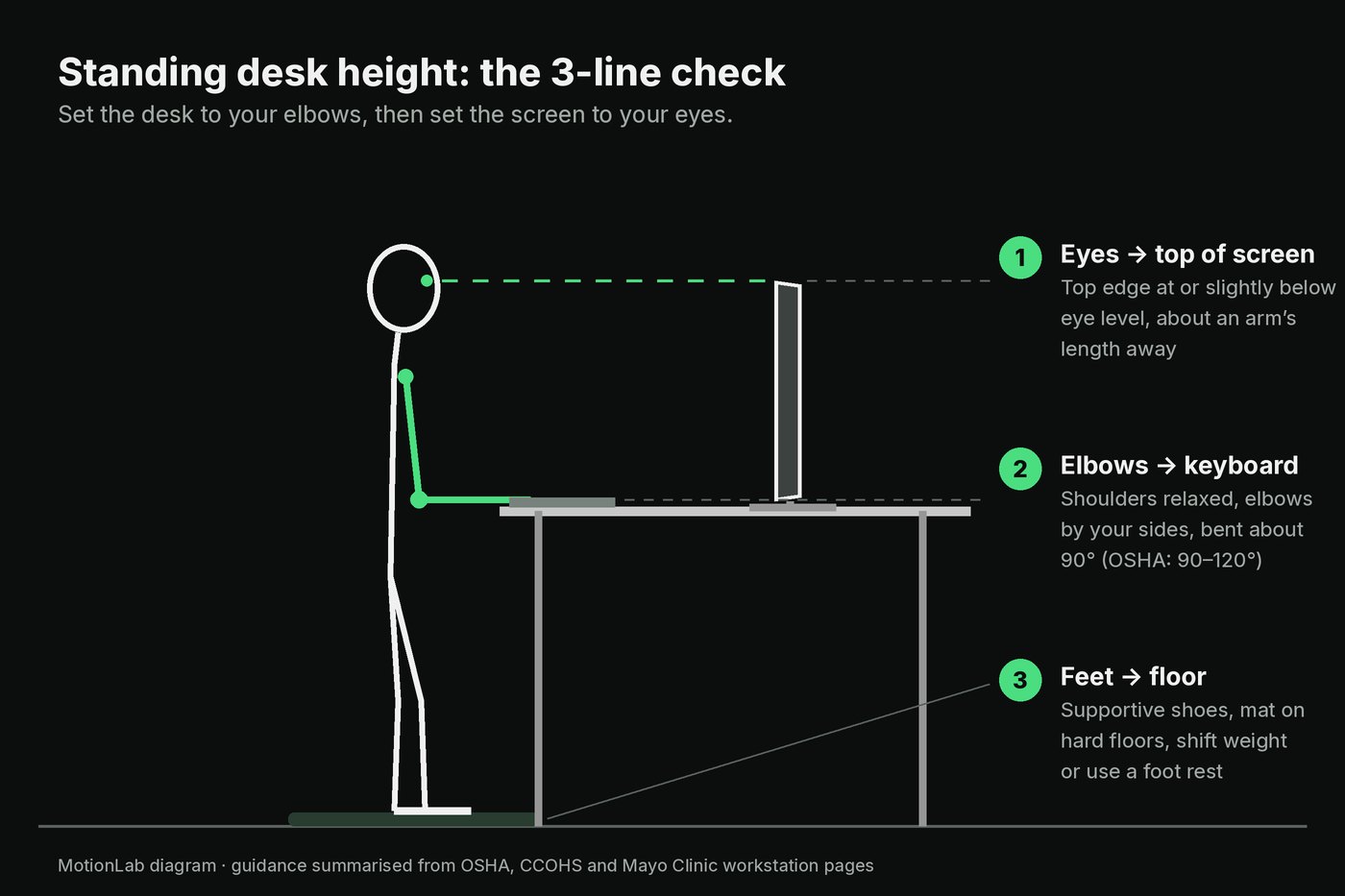
A standing desk should be at about your standing elbow height: hands on the keyboard at or slightly below your elbows, shoulders relaxed, elbows bent about 90°, with the top of the screen at or slightly below eye level.
You bought the sit-stand desk, pressed the up button, and now you are guessing. Too high and your shoulders creep toward your ears; too low and you end up leaning on your forearms like you are reading a menu. So how high should a standing desk be for you specifically?
The answer from CCOHS sit/stand desk guidance and Mayo Clinic office ergonomics is the same: set the work surface at about your standing elbow height, so your hands rest on the keyboard at or slightly below your elbows while your shoulders stay relaxed and your elbows bend about 90°. Your arms should sit in the same position they would if you were sitting well. Then raise the screen to match: the top of the monitor at or slightly below eye level, about an arm’s length away.
There is no single correct number in inches, because standing elbow height depends on your body, your shoes, and whether you stand on a mat. That is why this guide gives you a two-minute measuring method instead of a height chart, plus the monitor, converter, laptop, and footwear details that decide whether the setup actually feels good after an hour.
Why Does Standing Desk Height Matter?
A standing desk changes your posture options, not your anatomy. If the surface is in the wrong place, you trade sitting strain for a new standing strain.
When the desk is too high
- Shoulders shrug to reach the keys
- Elbows drift away from the body
- Wrists bend upward (extension) to type
When the desk is too low
- You lean forward and rest weight on your forearms or wrists
- The upper back rounds and the head drifts forward
- Wrists bend at awkward angles against the desk edge
OSHA’s desk guidance lists exactly these problems for desks that are too high or too low, such as reaching arms and raised shoulders, and notes that hard desk edges can create contact stress on the forearms and wrists. Cornell University’s ergonomics group adds a standing-specific warning: when computer work fixes your posture, people tend to drift into wrist extension and leaning, which compromises wrist posture further.

Get the height right and standing is easy to come back to. Get it wrong and it is easy to give up: Cornell notes that in studies, sit-stand use often drops off so that after about a month most people are sitting all the time.
How Do You Find Your Ideal Standing Desk Height?
Measure your standing elbow height in your work shoes, set the keyboard at or just below that line, then raise the screen to eye level. It takes about two minutes with a tape measure; do it once, write the number down, and save it as a preset.
1. Wear your normal work shoes
Measure in the footwear you actually stand in. If you use an anti-fatigue mat, stand on it while you measure, because shoes and mats both raise your elbows.
2. Stand tall and relax your shoulders
Feet about hip-width apart, weight even, head balanced over your torso. Let your arms hang loosely at your sides without shrugging.
3. Bend your elbows to about 90 degrees
Keep your upper arms close to your body and your forearms roughly parallel to the floor, as if you were about to type.
4. Measure floor to elbow
Have someone measure from the floor to the underside of your forearm at the elbow, or stand next to a wall and mark it. This is your standing elbow height.
5. Set the keyboard, not just the desk, to that height
Raise the desk until the keys sit at or just below your elbow line. Because keyboards add a little height, the desktop itself usually ends up slightly below your elbows.
6. Check your wrists and mouse
Wrists should stay relatively straight with hands at or slightly below elbow level. Put the mouse on the same surface right beside the keyboard so you are not reaching.
7. Raise the monitor last
Adjust the screen so the top edge is at or slightly below eye level and the display sits about an arm’s length away. A desk that rises without the screen leaves you looking down.
8. Save the preset and test it
Store the height on your desk controller and work a real 15–20 minute block. If your shoulders tense or you start leaning, adjust by small steps and save again.
Quick self-check
with your hands on the keys, you should be able to drop your shoulders an inch further without your hands leaving the keyboard. If you can't, the desk is too high. If your forearms rest on the desk edge carrying weight, it's too low.
What Should Your Arms, Wrists, and Head Look Like When Standing?
Use the same neutral posture you aim for when sitting: forearms roughly parallel to the floor, wrists straight, shoulders relaxed, elbows close to your body, and head level over your torso. OSHA’s working-posture checklist and CCOHS spell it out:
- Hands, wrists, and forearms straight, in line, and roughly parallel to the floor
- Shoulders relaxed, upper arms hanging naturally at your sides
- Elbows close to the body; CCOHS says about 90°, and OSHA allows a range of 90–120°
- Head level, facing forward, and roughly in line with the torso
- No twisting of the upper body to reach the keyboard, mouse, or screen
- Legs, torso, neck, and head roughly vertical and in line, feet slightly apart; OSHA notes you can rest one foot on a support
The 90–120° range is useful in practice. If a perfect 90° feels cramped, lowering the keyboard slightly so the elbow opens a little is fine, as long as your wrists stay straight and your shoulders stay down.
Where Should the Monitor Go on a Standing Desk?
Put the monitor directly in front of you with the top of the screen at or slightly below eye level, about an arm’s length away, and raise it whenever the desk rises. Many standing desk complaints are really monitor complaints. Cornell’s ergonomists put it bluntly: when you raise desk height for keyboard and mouse use, you also need to raise screen height above the desk, or you get neck flexion.
Standing monitor checklist
- Top of the screen at or slightly below eye level; CCOHS keeps your line of sight between horizontal and about 35° below while standing
- About an arm’s length away; Mayo Clinic gives 20–40 inches (50–100 cm)
- Directly in front of you, behind the keyboard, not off to the side
- If you wear bifocals, Mayo Clinic suggests lowering the screen an extra 1–2 inches so you don’t tip your head back
On a single-surface desk, the monitor rises with the desk, so a screen set correctly while sitting usually stays roughly right while standing. Small differences in posture can still change it, so recheck after you set the standing height. A monitor arm or riser makes small corrections easy. For the full height and distance walkthrough, including dual monitors, see how high should your monitor be.
How Do You Set Sitting and Standing Heights on the Same Desk?
A sit-stand desk needs two correct heights, not one. CCOHS stresses that the desk has to meet your needs both sitting and standing.
Set the sitting preset first
- Adjust the chair so your feet are flat (or on a footrest) and thighs are roughly parallel to the floor
- Lower the desk until the keyboard sits at relaxed seated elbow height
- Check under-desk room; OSHA says leg clearance should generally be 20–28 inches (50–72 cm) high
- Save it
Then set the standing preset using the measuring steps above, and save it to a second button.
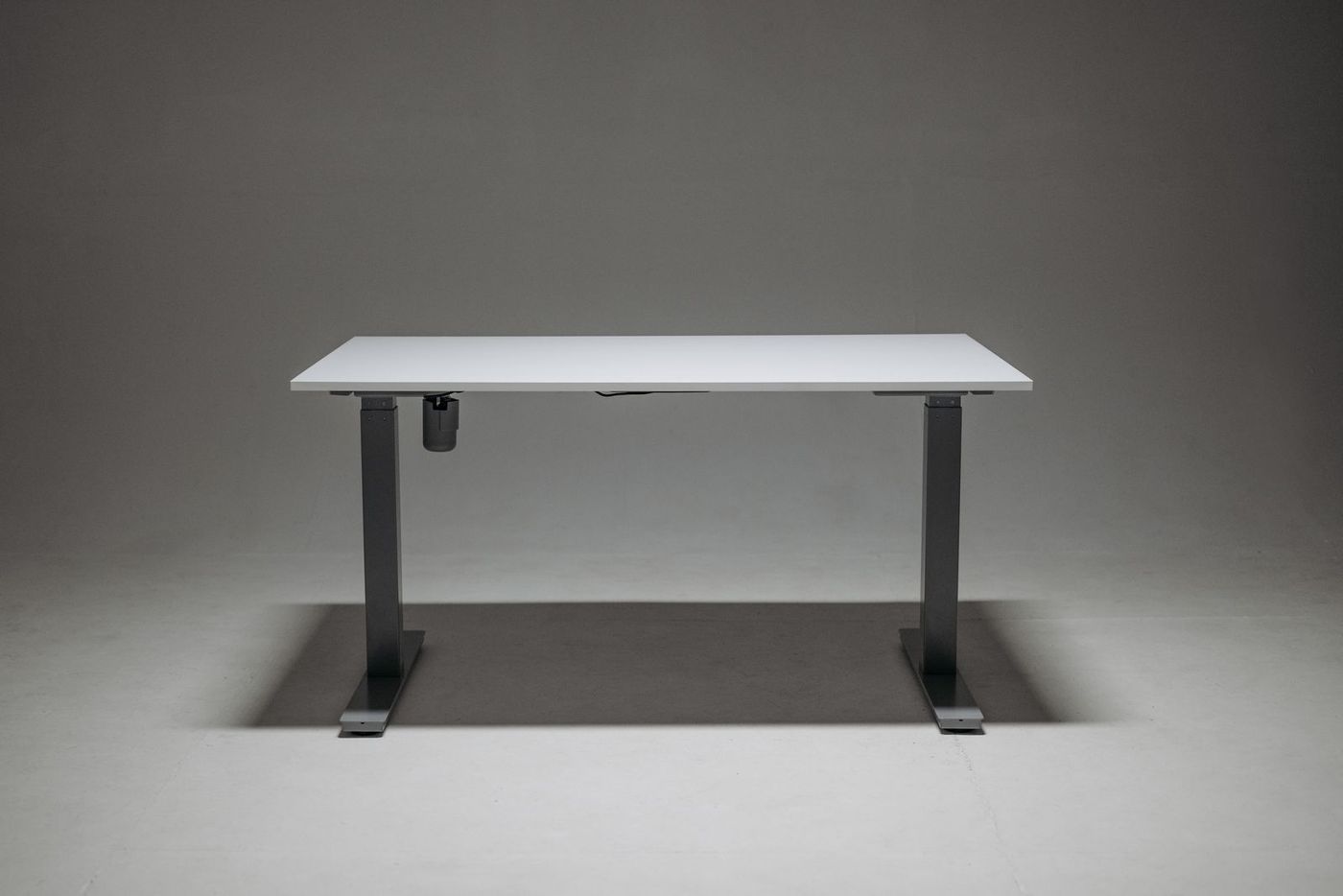
Presets matter more than they sound. If switching takes one tap, you will actually switch; if it takes thirty seconds of guessing, the desk tends to stay at one height. CCOHS also warns that cables, storage, and layout should not make adjusting the desk difficult, so leave enough slack in monitor, power, and charging cables for the full travel.
For the seated half of the setup (lumbar support, seat depth, armrests), use how to sit at a desk without back pain.
Do Standing Desk Converters and Laptops Change the Rules?
The targets stay the same: keyboard at elbow height, top of screen at eye level. What changes is how hard it is to hit both.
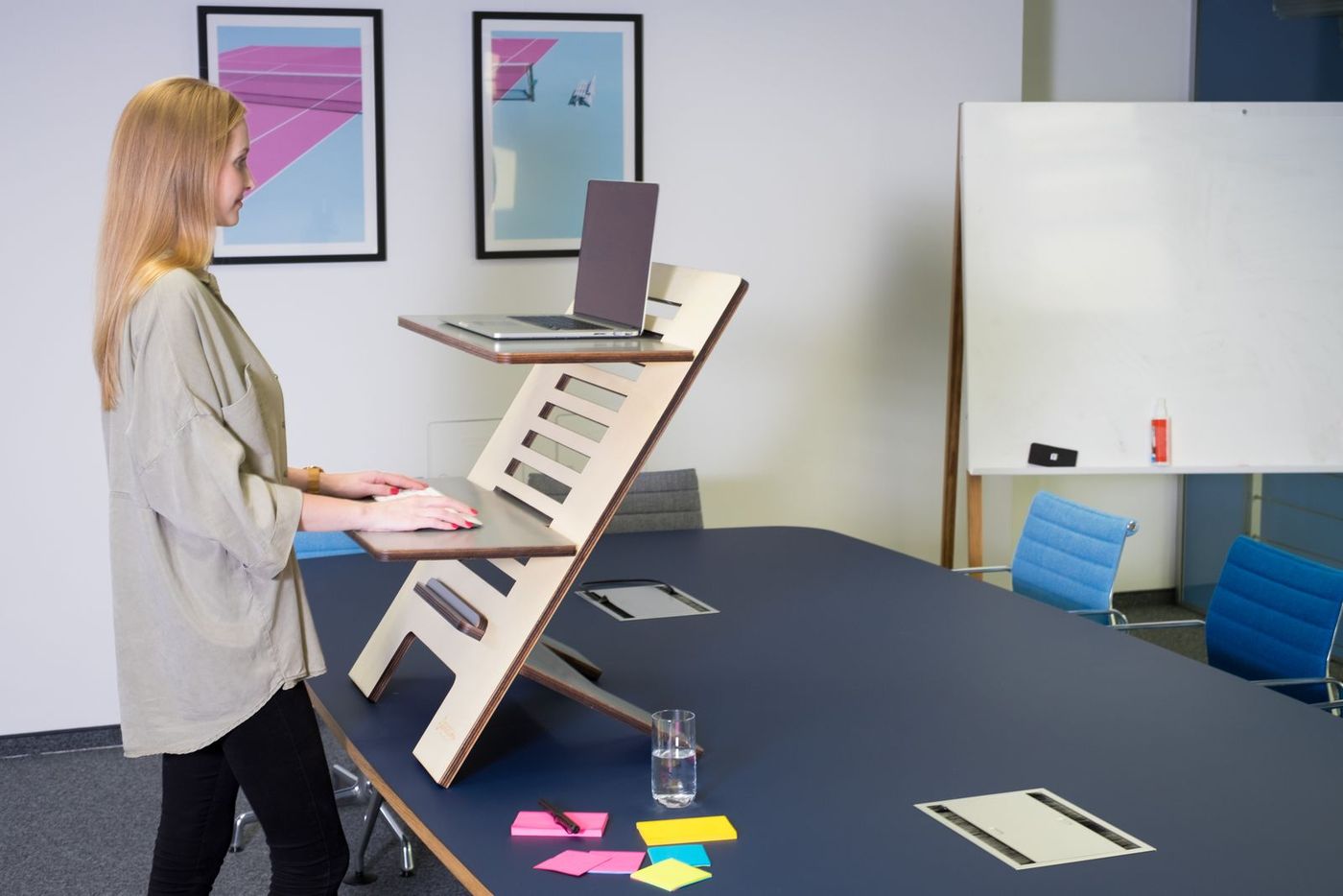
Desktop converters (risers that sit on a regular desk) work best when they have two levels, a lower tray for the keyboard and mouse and a higher one for the screen. A single-level converter usually forces a compromise: either the keyboard is right and the screen is low, or the screen is right and the keyboard is too high.
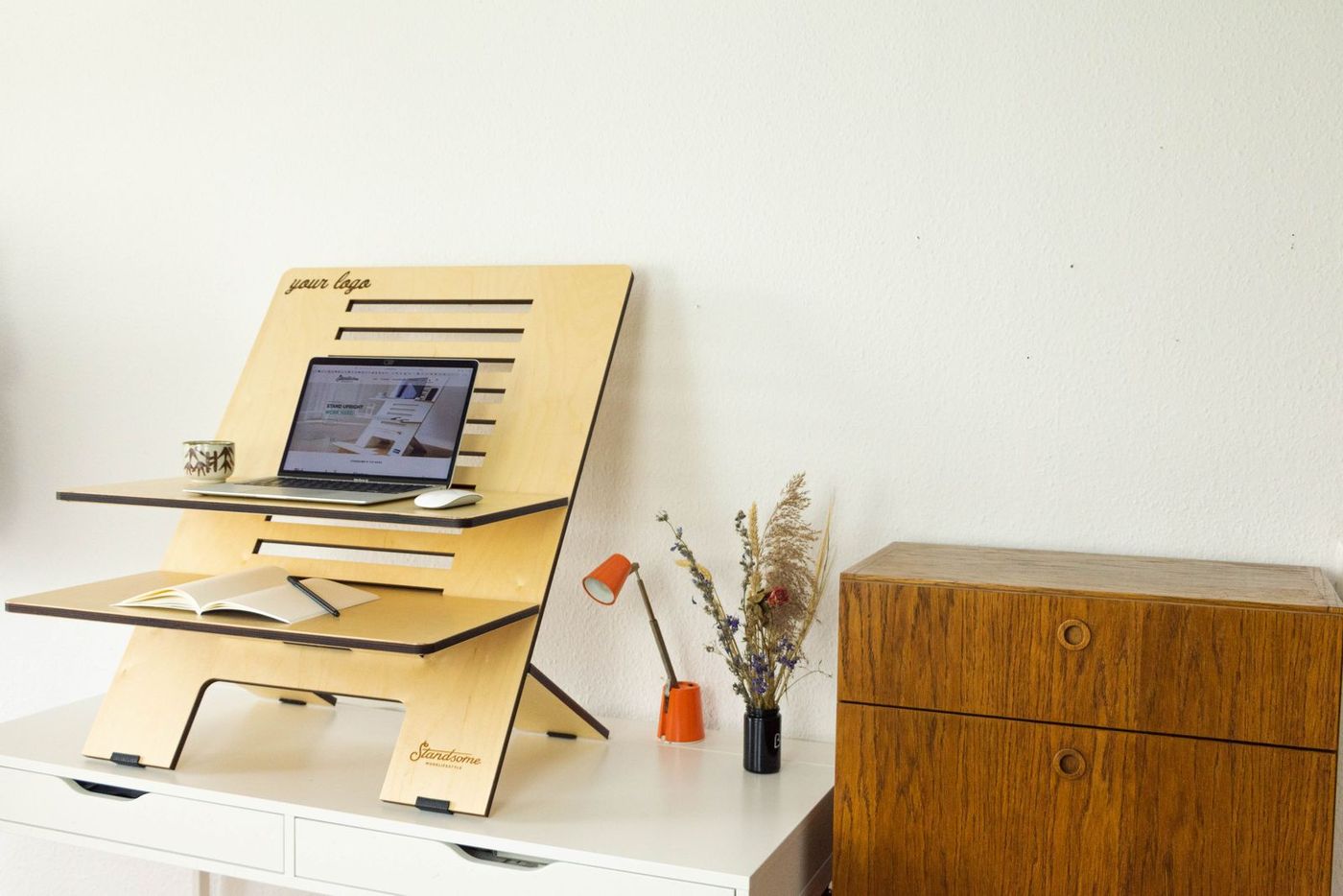
Laptops have the screen and keyboard fused together, so they can’t be at both heights at once. Mayo Clinic’s fix applies standing or sitting: add an external keyboard and mouse and raise the laptop on a stand, or plug into an external monitor. Standing at a kitchen counter with a flat laptop is fine for a few emails. As an all-afternoon setup it gives you the same neck problem standing up. Full laptop geometry is in how to set up a laptop for desk work.
How Should You Set Up Your Feet, Shoes, and Floor?
Height gets the upper body right; the floor decides how long you can comfortably stay up. CCOHS recommends a few simple supports for the standing position:
- Supportive footwear. Flat, cushioned, closed shoes beat heels, thin flats, or socks on hard floors.
- An anti-fatigue mat where appropriate, especially on tile or concrete. Remember to re-measure elbow height after adding one.
- A footrest or low rail so you can prop one foot and shift weight. OSHA’s standing reference posture also allows one foot raised.
- Shift your weight from leg to leg now and then instead of locking both knees.
If your feet, knees, or low back complain before your upper body does, fix the floor before you change the desk height.
What Mistakes Make a Standing Desk Uncomfortable?
- Using the sitting height plus a guess. Measure your standing elbow height once and save it.
- Measuring barefoot, then working in shoes (or the reverse). Shoes and mats change your elbow height.
- Raising the desk but not the screen on a converter or a laptop setup. Your neck ends up bent forward while you stand.
- Setting the desk high so you can lean on it. Leaning puts weight through the wrists and forearms, the pattern Cornell flags with standing computer work.
- Keyboard right, mouse far away. Reaching for the mouse pulls the elbow away from the body and loads the shoulder.
- Hard desk edge under the wrists. OSHA suggests padding the edge or using a wrist rest to reduce contact stress.
- Locking the knees and standing still. Standing still is still a static posture.
- Treating height as “set and forget.” New shoes, a new mat, a new monitor, or a new keyboard all mean you should re-check.
How Long Should You Stand Once the Height Is Right?
Correct height makes standing comfortable; it doesn’t make all-day standing a good idea. Cornell notes that standing all day has its own costs, and CCOHS points out that standing too long may lead to foot, knee, hip, and back issues.
The pattern ergonomists recommend is alternation plus movement. Cornell’s rule of thumb is roughly every 20–30 minutes, change posture, stand, and move for a couple of minutes (the popular “20-8-2” rhythm: about 20 minutes sitting, 8 standing, 2 moving). CCOHS lists a range of sit-stand intervals and says the key factor is to alternate as needed and let your body adjust gradually.
For a full week-by-week ramp-up, see how long should you stand at a standing desk. Height changes don’t replace actually walking, so pair them with the dose in how often to take a walking break from sitting.
When Should Desk Pain Get Professional Care?
This article is educational, not a diagnosis. Adjusting desk height, monitor position, and break rhythm is reasonable when discomfort is mild, clearly tied to your setup, and eases when you change position.
Get personalised medical or physiotherapy advice if you have:
- Numbness, tingling, or weakness in the hands, arms, or legs that persists or spreads
- Pain that wakes you at night or keeps worsening despite a sensible setup and regular breaks
- Swelling, redness, or pain in one calf or leg, especially if it came on suddenly
- Chest pain, fainting, or unusual breathlessness when standing
- Back pain with fever, unexplained weight loss, recent significant trauma, or bowel or bladder changes (seek care urgently)
- A clinician’s instruction to limit standing, for example during pregnancy, after surgery, or with circulation problems
Where Desk Height Fits in a Comfortable Workday
Think of a comfortable workday as layers:
- Set standing and sitting heights (this article).
- Set screen height and distance with how high should your monitor be.
- Alternate postures using how long to stand at a standing desk.
- Walk regularly with the walking break guide.
- Restore tissues that sitting and screens load: hip flexors, upper back, neck, and wrists with desk stretches, tech neck stretches, and the desk worker mobility guide.
If you want that last layer planned for you, MotionLab builds guided mobility sessions of 7, 15, or 25 minutes around your restrictions, using AI powered by Gemini. A 7-minute session fits nicely when you switch from sitting to standing. MotionLab is live on the web and Android; start at /signup when you’re ready. Keep red-flag symptoms with a clinician, not an app.
How High Should a Standing Desk Be? FAQ
How high should a standing desk be?
At about your standing elbow height, so your hands rest on the keyboard at or slightly below your elbows with shoulders relaxed and elbows bent about 90°. Measure in your work shoes, on your mat if you use one.
How do I measure my standing desk height?
Stand tall in your work shoes, relax your shoulders, bend your elbows to about 90°, and measure from the floor to the underside of your forearm at the elbow. Set the desk so the keys of your keyboard sit at that line.
Should a standing desk be at elbow height or slightly below?
Aim for the keyboard at elbow height or slightly below. Because the keyboard adds height, the desktop itself usually sits a little below your elbows. Mayo Clinic describes hands at or slightly below elbow level while typing.
How high should my monitor be on a standing desk?
The top of the screen should sit at or slightly below eye level, about an arm’s length (20–40 inches) away. If your desk rises but your screen doesn’t, add a monitor arm, riser, or a converter with a separate screen tier.
Is a standing desk converter as good as a full sit-stand desk?
A converter with separate keyboard and screen levels can hit the same targets. Single-level converters and laptops usually force the screen too low or the keyboard too high unless you add an external keyboard or a stand.
Do I need an anti-fatigue mat?
CCOHS suggests one where appropriate, especially on hard floors, along with supportive footwear and a footrest to shift your weight. Re-measure your desk height after adding a mat.
Can the right height make it fine to stand all day?
No. The right height makes standing comfortable. You still need to alternate sitting, standing, and moving through the day.
Sources
Related reading
- How Often Should You Take a Walking Break From Sitting?
- How to Sit at a Desk Without Back Pain
- Active vs Passive Stretching: When to Use Each
- Mobility vs Flexibility: What's the Difference and Why It Actually Matters
- Top 10 Evidence-Based Habits That Counter the Hidden Dangers of Sitting All Day
- Shoulder & Thoracic Spine Guide
Put it into practice
Ready to apply what you've learned?
MotionLab builds personalised mobility sessions around your specific restrictions — so every minute you invest targets what you actually need.
Start a session on MotionLab →