 MotionLab
How to Stop Slouching at Your Desk
MotionLab Editorial · 12 min read · Education
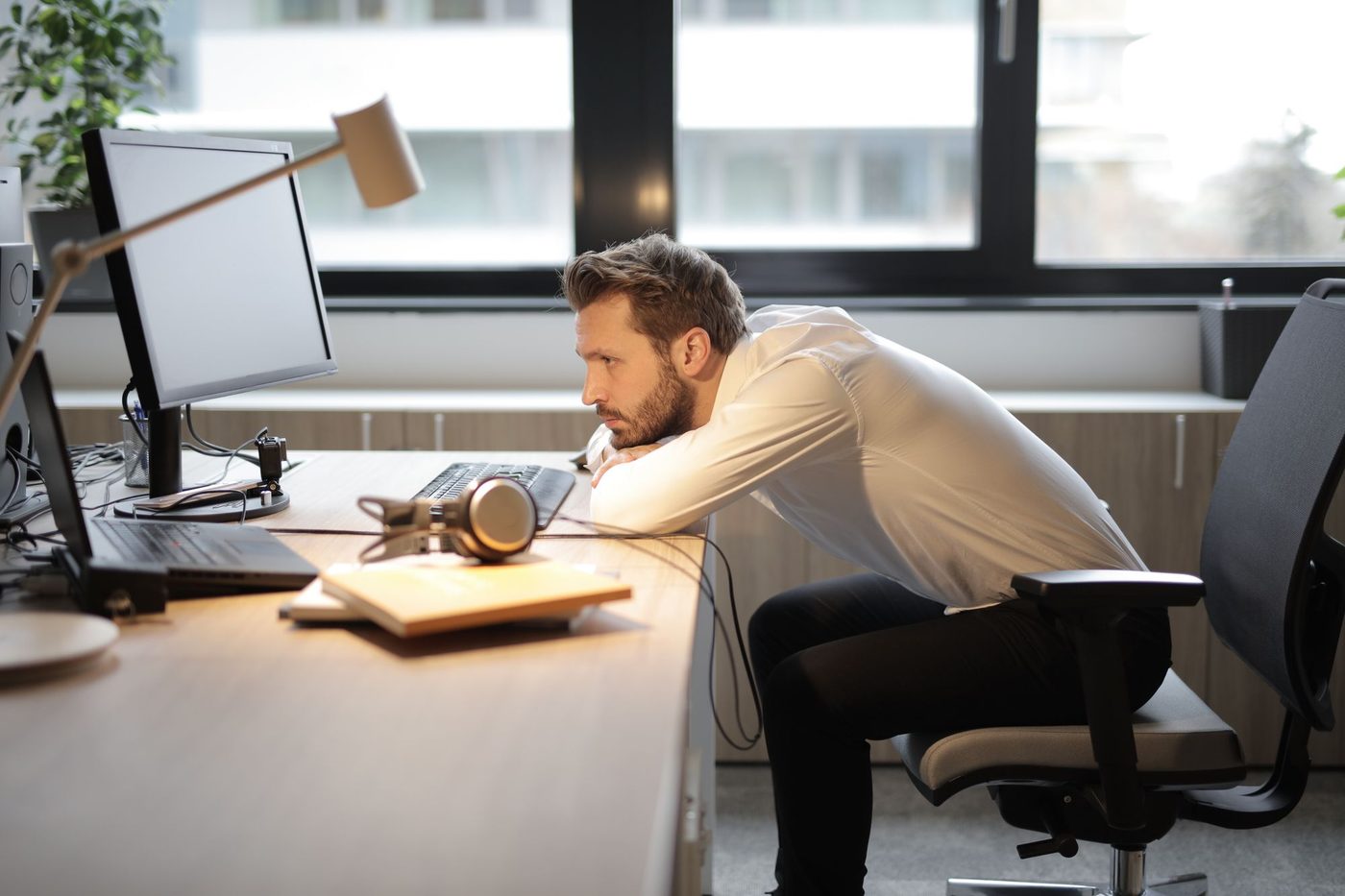
To stop slouching at your desk, sit all the way back against the lumbar support, bring the screen to arm’s length at eye level, plant your feet, and move often. Fix the setup before your willpower: a screen that is too far or too low, a chair you can’t sit back in, and a keyboard out of reach all pull you forward (OSHA, Cornell)
Key Takeaways
- ✓Fix the setup before your willpower: a screen that is too far or too low, a chair you can’t sit back in, and a keyboard out of reach all pull you forward (OSHA, Cornell)
- ✓Sit all the way back with lumbar support and a slight 100–110° recline; Cornell says that beats a rigid, upright 90° posture
- ✓Put the screen 20–40 inches (50–100 cm) away, about arm’s length, with the top at or slightly below eye level, and keep your feet flat on the floor or a footrest (OSHA)
- ✓Change position often: a short break every 30–60 minutes (Cornell) or about 5 minutes of walking for every 40–50 minutes of sitting (CCOHS)
How Do You Stop Slouching at Your Desk?
To stop slouching at your desk, fix the setup that pulls you forward before you try to fix yourself: sit all the way back so the backrest and lumbar support hold you, recline slightly, bring the screen to about arm’s length with the top at or just below eye level, keep the keyboard close and your feet supported, and get up every 30–60 minutes.
Most people try to stop slouching with willpower. They sit bolt upright for a while, then sag again. That isn’t a character flaw. CCOHS’s overview of working in a sitting position explains that sitting still makes your muscles hold the trunk, neck, and shoulders in a fixed position, which squeezes the blood vessels in those muscles and speeds up fatigue. Tired muscles let go, and you slump.
So how do you stop slouching at your desk for good? The fix has three parts, in this order: a workstation that doesn’t pull you forward, a posture you can actually hold, and regular movement so no posture has to last all day.
The guidance below comes from OSHA’s computer workstation eTool, CCOHS, Cornell University’s ergonomics guidelines, the MedlinePlus guide to good posture from the US National Library of Medicine, and Harvard Health’s posture exercises.
Why Do You Slouch at Your Desk?
Slouching is usually your body’s response to the setup and the clock, not a lack of discipline. The usual causes:
- A screen that is too far away. OSHA’s monitor guidance says viewing distances that are too long make you lean forward and strain to see small text, which also takes your back off the backrest.
- A screen that is too low. Cornell notes that a monitor that is too low makes you crane your neck forward. Laptops are the classic case, because the screen sits at keyboard height.
- A chair you can’t sit back in. If the seat is too deep, the backrest is out of reach, or your feet don’t touch the floor, you end up perched on the front edge and the backrest does nothing.
- A keyboard or mouse out of reach. Reaching forward pulls your shoulders and upper back with it. Cornell’s rule is to keep the things you use most closest to you.
- Sitting too long without a break. CCOHS lists jobs that keep people sitting uninterrupted for longer than one hour among the sources of poor body positions, and says the length of time you sit is a risk factor in itself.
- Fatigue. Holding any fixed position tires the muscles that hold it (CCOHS). Slumping is what happens when they give up.
That last point matters. An upright posture held with constant muscle effort isn’t sustainable either. Cornell puts it bluntly: erect sitting is not relaxed, sustainable sitting; reclined sitting is.
Is Slouching at Your Desk Bad for You?
Slumping in your chair now and then is not dangerous, but spending most of the working day that way adds up. MedlinePlus lists what slouching or slumping over can do, including:
- Cause neck, shoulder, and back pain
- Decrease your flexibility
- Affect how well your joints move and your balance
- Make it harder to breathe and to digest your food
CCOHS adds that the neck and lower back are the areas most affected by prolonged sitting, and that it puts steady compression on the spinal discs, which hinders their nutrition.
The goal isn’t a perfect, rigid posture. CCOHS describes good sitting as a position that lets you change your body position frequently and naturally within a comfortable range. MedlinePlus describes good posture as keeping the spine’s three natural curves (at the neck, mid back, and low back) without increasing them, with your head above your shoulders and the top of your shoulders over your hips. A good setup makes that position the easy default instead of a constant effort.
How Do You Set Up Your Desk So You Don’t Slouch?
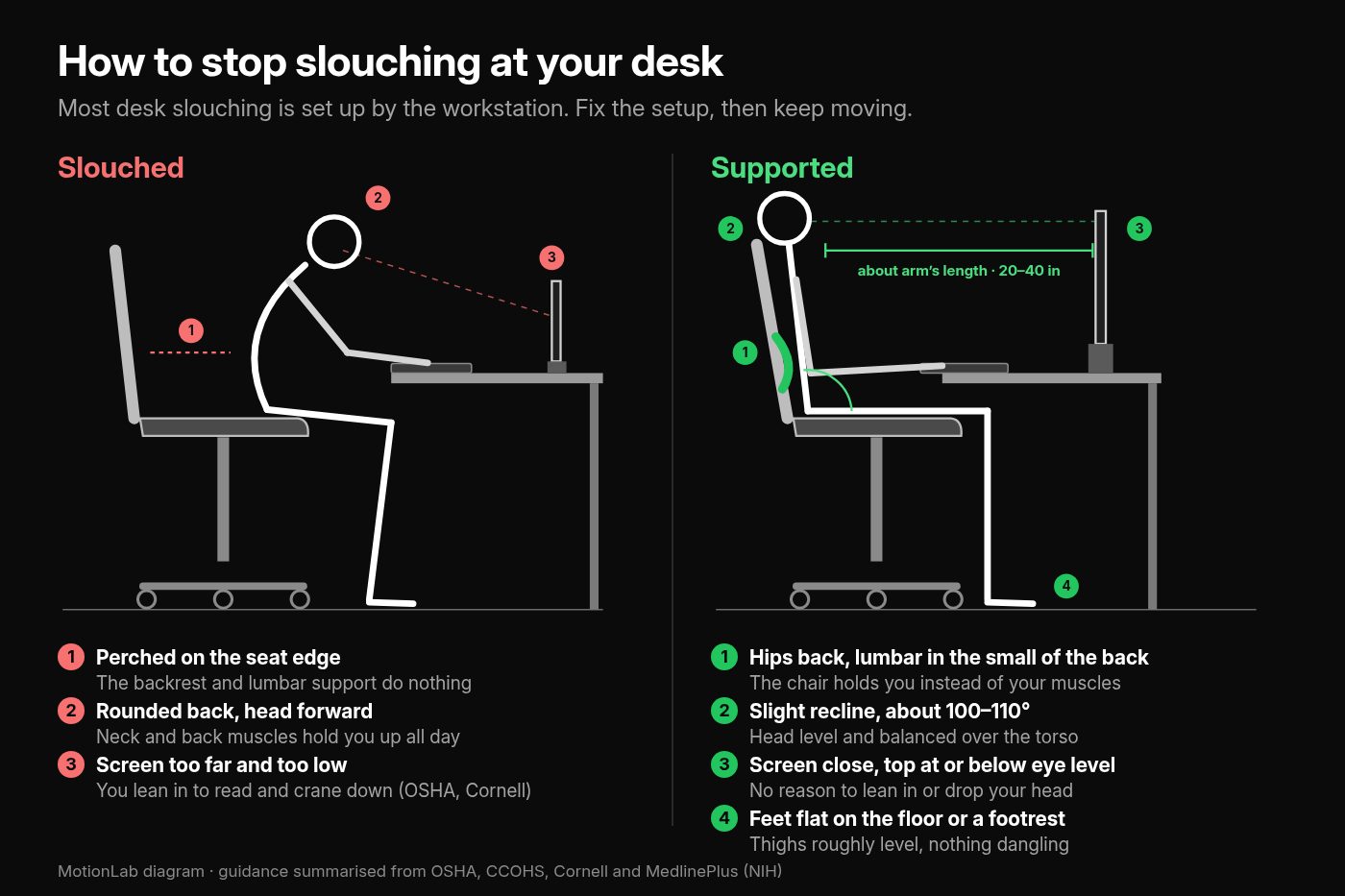
Sit all the way back, recline slightly, and support your feet, then bring the screen, keyboard, and mouse to you instead of leaning out to them. Work through these in order, sitting in your normal working position.
1. Sit all the way back
Slide your hips to the back of the seat so the backrest meets your back. OSHA’s neutral posture has the back fully supported, with appropriate lumbar support, whether you sit upright or lean back slightly. If your chair can’t support your lower back’s curve, MedlinePlus suggests a back pillow or other back support.
2. Recline slightly
Let the backrest take some of your weight. Cornell’s guidelines say studies show a reclined posture of about 100–110° is better than an upright 90°, with significant decreases in postural muscle activity and in disc pressure in the lower spine. OSHA’s reclined reference posture has the torso and neck straight and leaning back 105–120° from the thighs.
3. Support your feet
Your feet should be fully supported by the floor, or by a footrest if the desk height isn’t adjustable, with your thighs roughly parallel to the floor and your knees at about hip height (OSHA). If you raised the chair to reach the desk and your feet now dangle, add a footrest rather than sliding forward to reach the floor.
4. Bring the screen to arm’s length
OSHA’s preferred viewing distance is 20–40 inches (50–100 cm) from your eyes to the screen. Cornell’s quick check: sit back, raise your arm, and your fingers should touch the screen. If text looks small, make the font bigger or zoom in rather than leaning closer.
5. Raise the screen to eye level
The top of the screen should be at or slightly below eye level, with its center about 15–20° below your horizontal line of sight (OSHA). Your head should stay level, facing forward, and in line with your torso.
6. Pull the keyboard and mouse in
Keep your shoulders relaxed, your upper arms hanging at your sides, and your elbows close to your body and bent between 90 and 120° (OSHA). If you have to reach, you will drift forward to meet the keyboard.
7. Face the screen straight on
Put the monitor directly in front of you so your head, neck, and torso face forward (OSHA). Cornell adds that you should center yourself on the letter keys, with the B key at your midline, rather than on the whole keyboard.
For every lever on the chair itself, see how to adjust an office chair. For screen height in more detail, including bifocals and dual monitors, see how high should your monitor be.
What Posture Cues Help You Stop Slouching?
Think tall rather than stiff, keep your shoulders relaxed and your head over your shoulders, keep your feet down with your legs uncrossed, and tie posture checks to triggers like getting up from your desk. Once the setup stops pulling you forward, these cues help you notice when you drift:
- Think tall, not stiff. Harvard Health’s posture imagery (written for standing, but the top half works in a chair) is a straight line running through your ears, shoulders, and hips, and a cord at the top of your head pulling you up taller. Its comparison is a ballerina or ice skater, not a soldier at attention.
- Relax your shoulders. MedlinePlus says your shoulders should be relaxed, neither rounded nor pulled backwards. Pinning them back all day is just a different static posture.
- Head over shoulders. MedlinePlus’s picture of good posture puts your head above your shoulders and the top of your shoulders over your hips.
- Feet down, legs uncrossed. MedlinePlus advises against crossing your legs: keep your feet on the floor with your ankles in front of your knees.
- Use triggers, not willpower. Harvard Health suggests tying posture exercises to a trigger, such as getting up from your desk or right before scheduled breaks and lunch, until it becomes a habit. Cornell notes that break-reminder software can prompt you at set intervals.
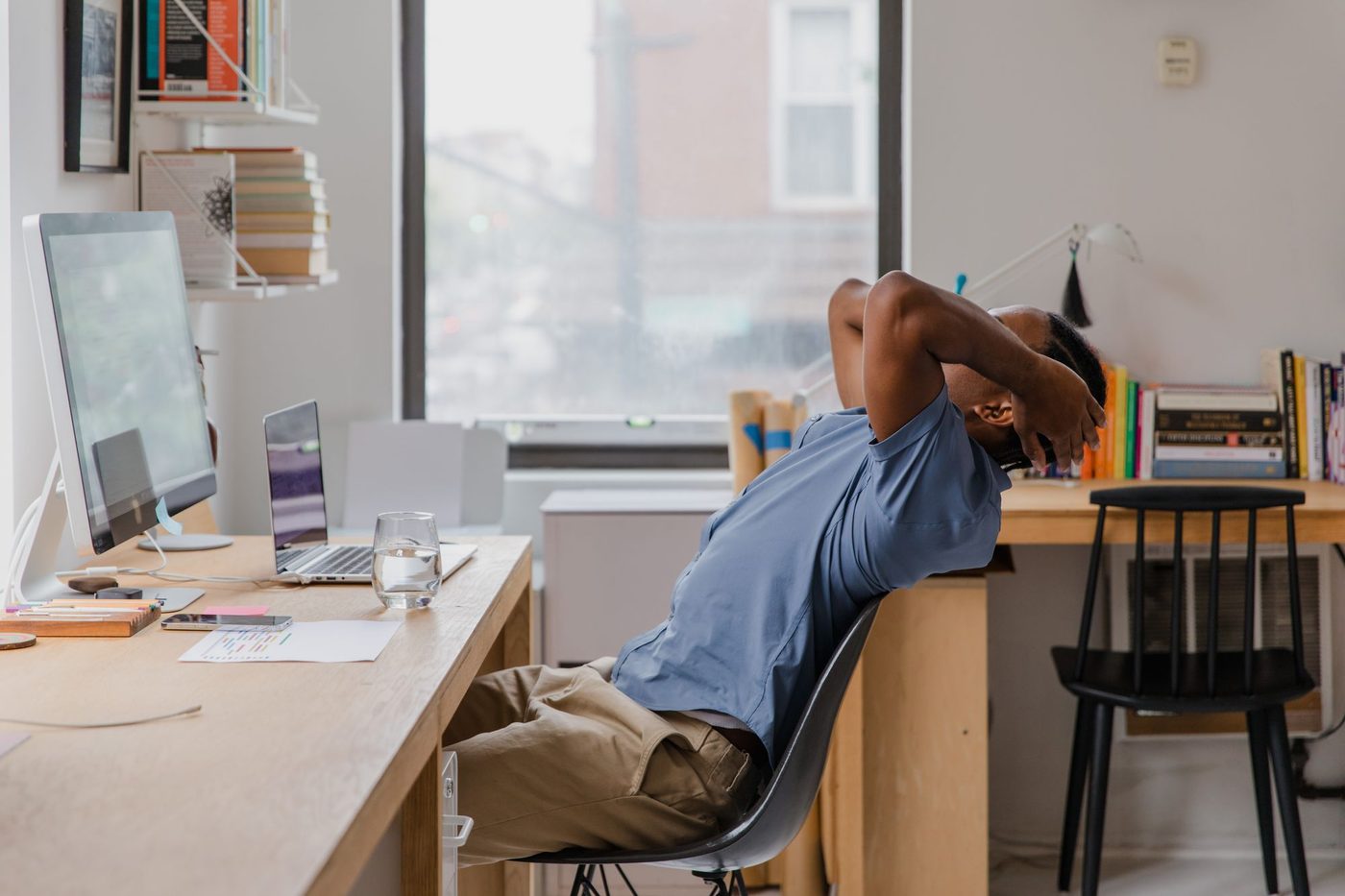
A good check: if you can’t feel the backrest, you have probably slid forward. Sit back into it rather than forcing yourself upright away from it.
Which Exercises Help You Stop Slouching?
Shoulder blade squeezes, a corner chest stretch, and an arm-across-chest stretch are the three simple posture exercises Harvard Health recommends practicing through the day. Setup and cues do most of the work, but these help ease the forward pull of desk work:
Shoulder blade squeeze
Sit up straight in a chair with your hands resting on your thighs, shoulders down and chin level. Slowly draw your shoulders back and squeeze your shoulder blades together. Hold for a count of five, relax, and repeat three or four times.
Corner chest stretch
Stand facing a corner with your arms raised, hands flat against the walls and elbows at shoulder height, with one foot ahead of the other. Bend your front knee and lean toward the corner as you breathe out, keeping your back straight and your chest and head up, until you feel a stretch across your chest. Hold for 20–30 seconds.
Arm-across-chest stretch
Raise one arm to shoulder level in front of you and bend the elbow so the forearm is level. With the other hand, gently pull the elbow across your chest until you feel a stretch in the upper arm and shoulder. Hold for 20 seconds, switch sides, and repeat three times on each side.
MedlinePlus adds two longer-term habits: exercises that strengthen your core (the muscles around your back, abdomen, and pelvis), and classes that focus on body awareness, such as yoga and tai chi.

For a fuller routine you can do beside your chair, see the desk stretches guide. If your shoulders have already settled forward, how to fix rounded shoulders covers the stretch-and-strengthen work in depth.
How Often Should You Move to Stop Slouching?
Change position often and take a short break at least every 30–60 minutes, because even a good setup becomes a problem if you hold it for hours. OSHA says that regardless of how good your working posture is, working in the same posture or sitting still for prolonged periods is not healthy. It recommends changing position frequently by:
- Making small adjustments to your chair or backrest
- Stretching your fingers, hands, arms, and torso
- Standing up and walking around for a few minutes now and then
- Doing some tasks standing, such as reading, phone calls, and meetings
Cornell gives a simple rhythm:
- Micro-breaks of under two minutes between bursts of work: stretch, stand up, or switch tasks
- A rest break every 30–60 minutes: stand up, move around, and get a drink
- Exercise breaks every 1–2 hours with some stretches or gentle exercises
CCOHS adds that five minutes of moderate to vigorous activity, such as walking, for every 40 to 50 minutes of sitting can help protect people who sit for long periods.
Every break is also a chance to reset: when you sit back down, sit all the way back. For the walking side, see how often should you take a walking break from sitting. If you have a sit-stand desk, see how long should you stand at a standing desk.
If you would rather have the movement planned for you, MotionLab builds guided mobility sessions of 7, 15, or 25 minutes around your restrictions, using AI powered by Gemini. MotionLab is live on the web and Android; start at /signup when you’re ready.
How Do You Stop Slouching on a Laptop?
Laptops make slouching almost automatic. Cornell points out that laptop design is inherently problematic: when the screen is at a comfortable height and distance, the keyboard isn’t, and vice versa. Laptops are fine for short periods, but for sustained use Cornell recommends adding an external monitor, an external keyboard, or both.
The practical fix is to raise the laptop on a stand or a stack of sturdy books so the top of the screen is near eye level, then type on a separate keyboard and mouse at elbow height. The step-by-step version is in how to set up a laptop for desk work.
What Mistakes Keep You Slouching at Your Desk?
- Trying to sit bolt upright all day. Cornell says erect sitting is not relaxed or sustainable. A slight recline with good back support is easier to keep.
- Pinning your shoulders back. MedlinePlus wants them relaxed, not rounded and not pulled backwards.
- Perching on the front edge of the seat, so the backrest and lumbar support do nothing.
- Leaning in to read instead of making the text bigger. Cornell recommends a larger font or zoom rather than sitting closer.
- Over-correcting the screen. OSHA notes that a monitor that is too high makes you tilt your head back, and that putting it on top of the computer case raises it too high for all but the tallest users.
- Working all day from a laptop flat on the desk.
- Going hours without getting up. CCOHS lists sitting uninterrupted for longer than an hour as a source of poor body positions.
- Relying on a gadget instead of the setup. Cornell warns that many products labeled “ergonomic” aren’t, and suggests asking what research supports a product before you buy it.
When Should Slouching-Related Pain Get Professional Care?
This article is educational, not a diagnosis. Fixing your setup, using posture cues, and taking regular breaks is reasonable when discomfort is mild, clearly linked to how you sit, and eases when you move or change position.
See a doctor or physiotherapist if you have:
- Neck or back pain that travels into an arm or leg
- Numbness, tingling, or weakness in an arm, hand, leg, or foot
- Pain after a fall or injury
- Pain that wakes you at night or is there even when you are lying still
- Any change in bladder or bowel control, or numbness around the groin, which needs urgent care
- Symptoms that keep getting worse despite a sensible setup and regular breaks
Early assessment is easier to act on than months of working through it.
How to Stop Slouching at Your Desk FAQ
How do I stop slouching at my desk?
Fix the setup first. Sit all the way back so the backrest and lumbar support hold you, recline slightly to about 100–110°, keep your feet flat on the floor or a footrest, put the screen about arm’s length away with the top at or slightly below eye level, and keep the keyboard close. Then get up for a short break every 30–60 minutes.
Why do I slouch when I sit at my desk?
Usually because something pulls you forward: a screen that is too far away or too low, a chair you can’t sit back in, a keyboard out of reach, or simply sitting too long. CCOHS explains that holding a fixed sitting position fatigues the muscles that keep you upright, so you sag as the day goes on.
Is it bad to slouch at your desk?
Now and then, no. Spending most of the day slumped is a different story: MedlinePlus says slouching can cause neck, shoulder, and back pain, decrease flexibility, and make it harder to breathe. The aim isn’t a rigid posture but one you can change often and comfortably.
Should I sit at a 90-degree angle at my desk?
Not necessarily. Cornell’s ergonomics guidelines say studies show a slight recline of about 100–110° is better than a rigid upright 90°, with less postural muscle activity and lower disc pressure in the lower spine. Keep the screen and keyboard close enough that reclining doesn’t make you reach.
How far should my screen be to stop leaning forward?
OSHA’s preferred viewing distance is 20–40 inches (50–100 cm), roughly arm’s length. If you still lean in to read, increase the font size or zoom rather than moving closer.
How do I remember not to slouch?
Use triggers instead of willpower. Harvard Health suggests linking posture exercises to moments like getting up from your desk or right before breaks and lunch, and Cornell notes that break-reminder software can prompt you at set intervals.
Can exercises help me stop slouching?
They help alongside a good setup. Harvard Health recommends shoulder blade squeezes, a corner chest stretch, and an arm-across-chest stretch, and MedlinePlus suggests core-strengthening exercises and body-awareness classes such as yoga or tai chi.
Sources
Related reading
Put it into practice
Ready to apply what you've learned?
MotionLab builds personalised mobility sessions around your specific restrictions — so every minute you invest targets what you actually need.
Start a session on MotionLab →