 MotionLab
The 20-20-20 Rule for Eye Strain: How to Actually Use It
MotionLab Editorial · 10 min read · Education
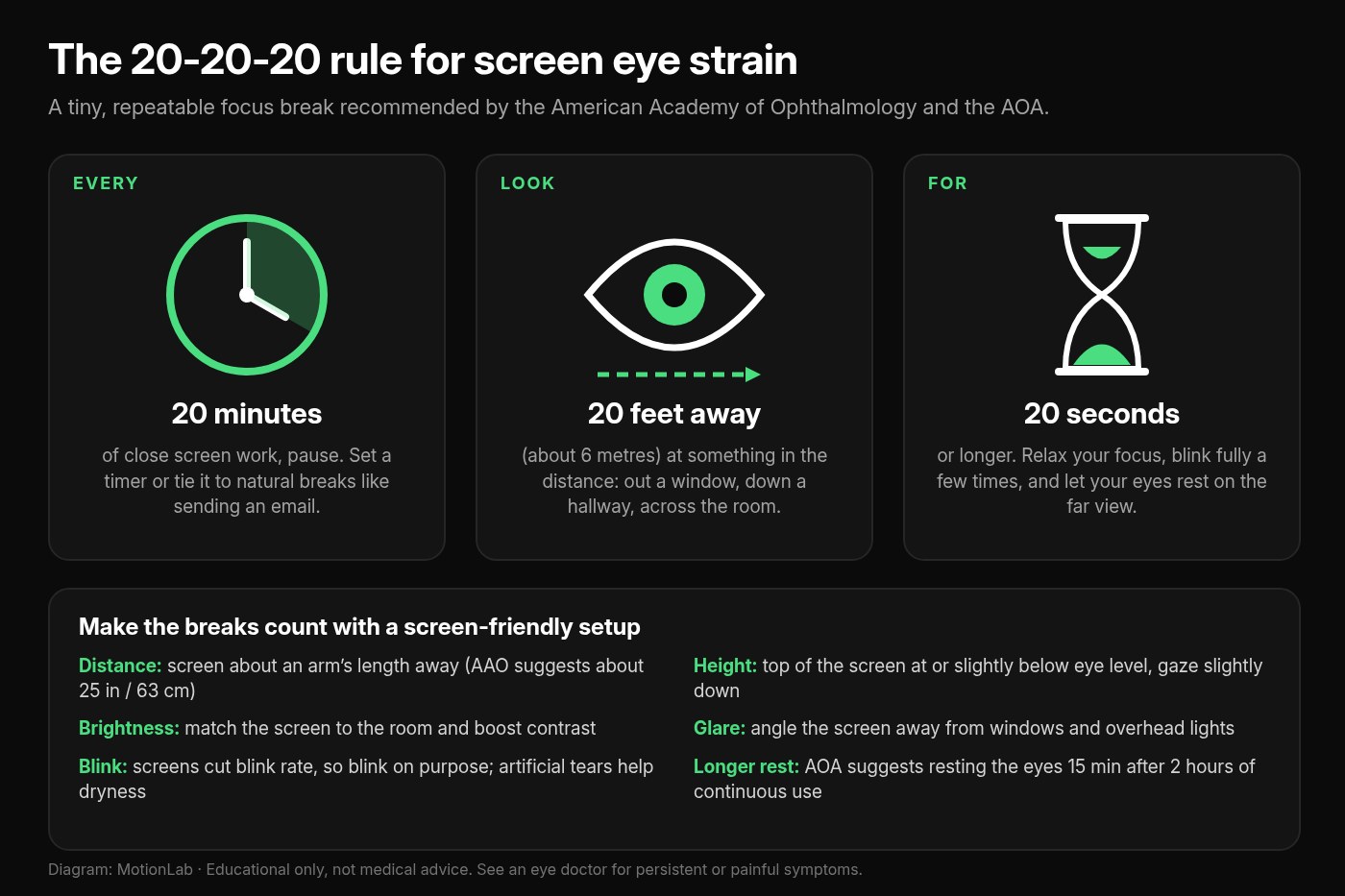
The 20-20-20 rule: every 20 minutes, look at something 20 feet away for 20 seconds. How to do it, whether it works, and the screen setup that helps eye strain. The 20-20-20 rule means every 20 minutes of screen work, you look at something at least 20 feet (about 6 metres) away for at least 20 seconds. It gives your eyes a chance to refocus and reminds you to blink.
Key Takeaways
- ✓The 20-20-20 rule means every 20 minutes of screen work, you look at something at least 20 feet (about 6 metres) away for at least 20 seconds. The American Academy of Ophthalmology and the American Optometric Association both recommend it
- ✓It gives your eyes a chance to refocus and reminds you to blink. People blink about 15 times a minute normally but only about 5–7 times a minute at a screen (AAO)
- ✓In a small 2023 study of 29 symptomatic computer users, 20-20-20 reminders reduced eye strain and dry eye symptoms over two weeks, but the benefit faded a week after the reminders stopped. The habit is what counts
- ✓Pair the breaks with a screen about an arm’s length away, gaze slightly downward, matched brightness, and less glare. Screen eye strain doesn’t cause permanent damage, but symptoms that persist after fixing your setup are worth an eye exam
The 20-20-20 Rule for Eye Strain
The 20-20-20 rule is simple: every 20 minutes of screen time, look at something at least 20 feet away (about 6 metres) for at least 20 seconds. It’s the break the American Academy of Ophthalmology and the American Optometric Association both recommend for digital eye strain, the tired, dry, achy, or blurry feeling many people get after long stretches at a computer or phone.
The rule is easy to understand and easy to forget. Most people know it, try it for a morning, and then lose track of time in their inbox. This guide covers what the 20-20-20 rule actually does, what the research says about whether it works, how to do it step by step, how to make it stick, and which screen setup changes help your eyes between breaks.
What Is the 20-20-20 Rule?
The 20-20-20 rule is a short, regular focus break for screen work. The AOA puts it as: take a 20-second break to view something 20 feet away every 20 minutes. The AAO phrases it as shifting your eyes to an object at least 20 feet away for at least 20 seconds, every 20 minutes.
Why it helps comes down to two things screens do to your eyes:
- Constant close focus. Reading a screen keeps your eyes focused at a short, fixed distance for a long time. The AOA describes the far-away look as a way to “allow the eyes a chance to refocus.”
- Less blinking. The AAO notes that people normally blink about 15 times a minute, but only about 5 to 7 times a minute while using computers and other digital screens. Fewer blinks means a drier, more irritated eye surface. A deliberate break is a good moment to blink fully a few times.
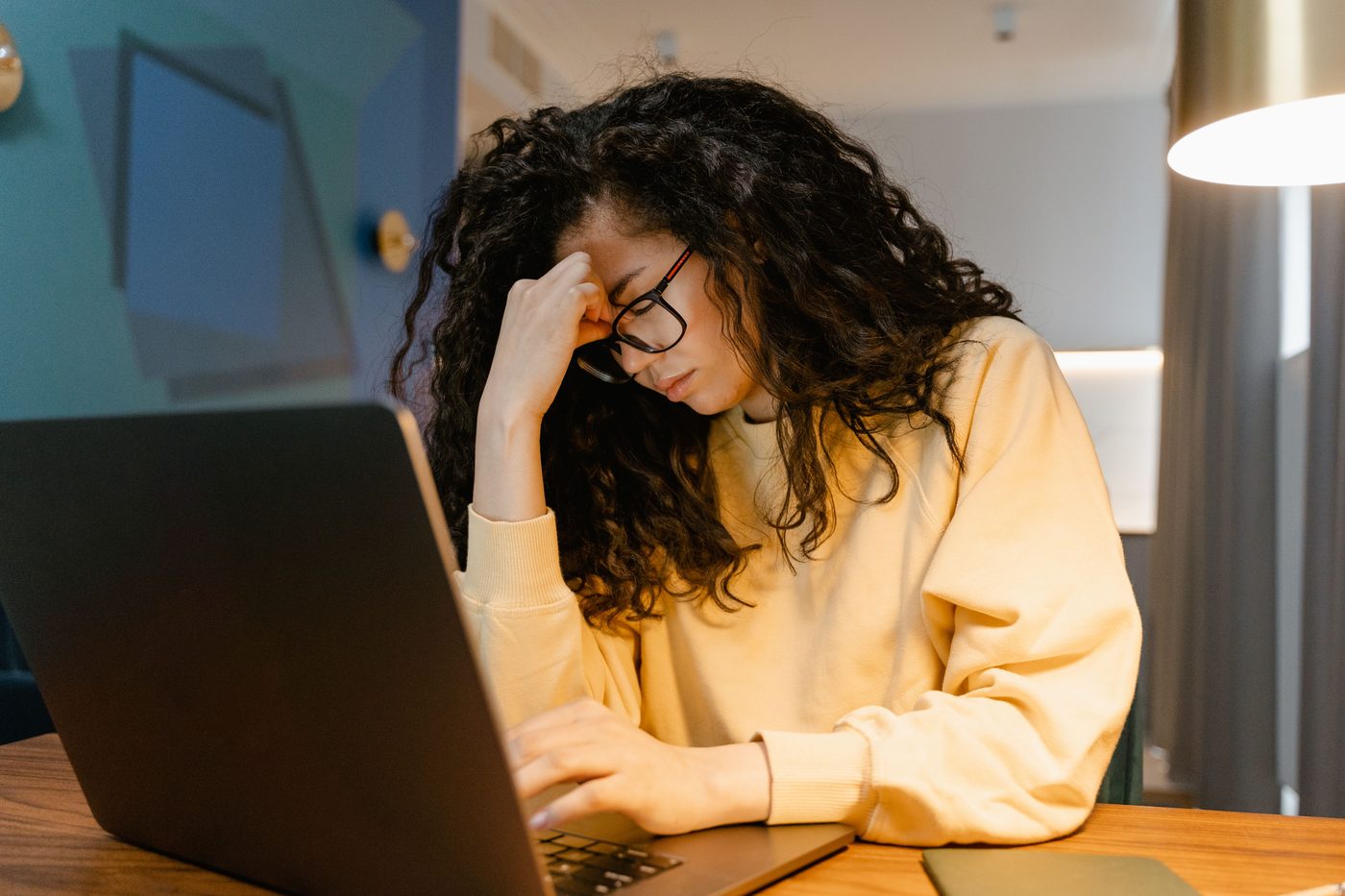
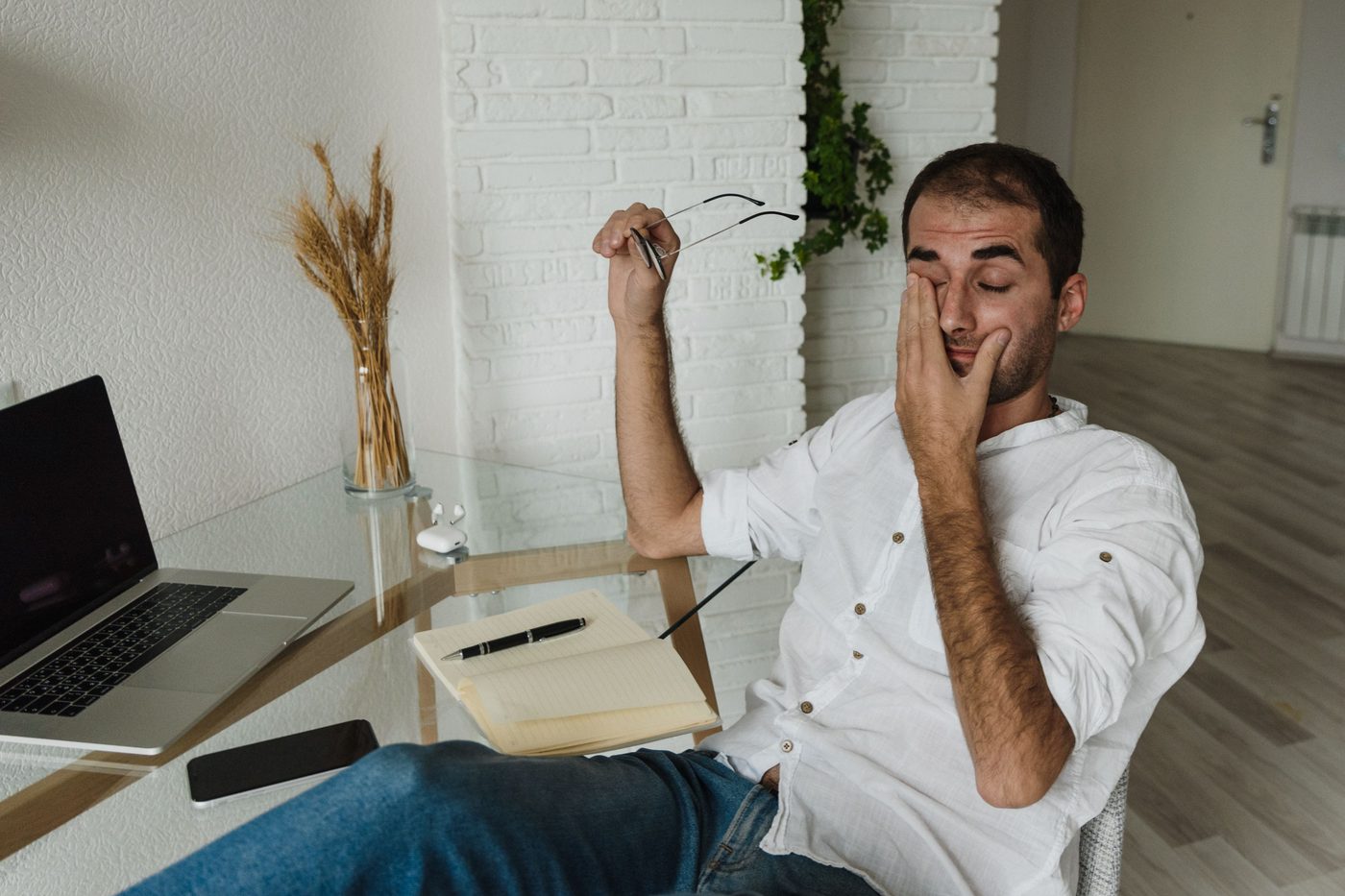
The AOA lists the most common symptoms of digital eye strain as eyestrain, headaches, blurred vision, dry eyes, and neck and shoulder pain, often made worse by poor lighting, glare, the wrong viewing distance, poor posture, or uncorrected vision problems.
Does the 20-20-20 Rule Actually Work?
There’s some direct evidence, and it’s encouraging but limited. In a 2023 study in *Contact Lens and Anterior Eye*, researchers installed software on the laptops of 29 computer users who already had symptoms. It used the webcam to track breaks and sent personalized 20-20-20 reminders for two weeks.
What they found:
- People took more breaks and worked in shorter continuous stretches while the reminders were on
- Digital eye strain and dry eye symptoms decreased over the two weeks
- The improvement wasn’t maintained one week after the reminders were switched off
- Measures of the tear film and ocular surface didn’t change in that time, and most binocular vision measures didn’t either (one focusing measure, accommodative facility, improved)
The authors concluded that the 20-20-20 rule is an effective strategy for reducing eye strain and dry eye symptoms, though two weeks wasn’t long enough to change dry eye signs. It was a small study without a separate control group, so treat it as supportive rather than final.
The practical lesson is the most useful part: the benefit lasted only as long as the breaks did. The rule isn’t a one-time fix. It works when it becomes a habit, which is why a reminder system matters more than willpower.
How to Do the 20-20-20 Rule
The whole break takes about 20 seconds. Here’s how to get the most from it.
1. Set a 20-minute cue
Use a repeating timer, a break-reminder app, or your calendar. Tying the break to something you already do, like hitting send on an email or finishing a task, also works.
2. Pick a far point
Choose something at least 20 feet (about 6 metres) away: a tree or building out the window, the far end of a hallway, or the opposite wall of a large room. You don’t need to measure. If it’s across the room or outside, it’s probably far enough.
3. Look for at least 20 seconds
Let your eyes settle on the distant object and relax. You don’t need to stare hard or do eye exercises. Just let your focus rest on the far view. Longer is fine.
4. Blink fully a few times
Use the pause to blink slowly and completely. It’s an easy way to make up for the blinks you skip while reading a screen.
5. Check your posture before you go back
As you return to the screen, drop your shoulders, sit back in your chair, and check that you’re not leaning in toward the monitor.

No window nearby?
Look down a hallway, across an open-plan office, or step to a doorway. A far wall in a big room works better than nothing, and a short walk to a window is a bonus break for your body too.
How Do You Remember the 20-20-20 Rule?
The study above showed the benefit faded once the reminders stopped, so build a cue you won’t ignore:
- A repeating timer on your phone or computer set to 20 minutes
- A focus-timer rhythm. If you work in 25-minute blocks, use each block boundary as your far-look break
- Task anchors. Every sent email, finished ticket, or ended call is a 20-second look out the window
- A visible reminder. The AAO even suggests a sticky note on your screen to remind you to blink
- Bundle bigger breaks. The AOA suggests resting your eyes for 15 minutes after two hours of continuous computer use, and doing tasks that don’t need close focus, like phone calls
Those longer breaks are also a good time to stand and move. See how often to take a walking break from sitting for a simple plan.
If you want something for your body too, MotionLab builds guided mobility sessions of 7, 15, or 25 minutes around your stiff spots, using AI powered by Gemini. A short session after a long screen block covers the neck, shoulders, and back that screen work tightens. MotionLab is live on the web and Android. Start at /signup when you’re ready.
What Else Helps Digital Eye Strain?
The 20-20-20 rule works best alongside a screen setup that doesn’t fight your eyes the rest of the time:
- Distance. The AAO suggests sitting about 25 inches (roughly arm’s length) from the screen; the AOA gives a 20–28 inch range. More detail in how far should a monitor be from your eyes.
- Height. Position the screen so your gaze is slightly downward. The AOA puts the center of the screen about 15–20 degrees below eye level. See how high should your monitor be.
- Brightness and contrast. If your screen glows brighter than the room, your eyes work harder. Match the brightness to your surroundings and increase contrast (AAO).
- Glare. Angle the screen away from windows and overhead lights, or use a matte filter. Keep the screen clean.
- Dry air. Artificial tears and a humidifier help if your eyes feel dry, and keep air vents from blowing in your face (AAO).
- The right glasses. Uncorrected or outdated prescriptions make strain worse. Computer glasses designed for intermediate distance can help people who spend hours at a screen. The AAO does not recommend blue light–blocking glasses for eye strain, citing a lack of evidence they work.
- Contact lenses. If you wear contacts and your eyes dry out at the screen, switching to glasses for long work sessions can help (AAO).
Working mostly on a laptop? The screen usually ends up too low and too close. How to set up a laptop for desk work fixes both.
Can Screen Time Permanently Damage Your Eyes?
According to the American Academy of Ophthalmology, no. Looking at a computer, phone, or other digital screen for long periods won’t permanently damage your eyes, though it can make them uncomfortable. An AAO-reviewed article notes that eye strain doesn’t injure the eye or cause permanent damage, and that screen strain is no different from the strain of reading, driving, or other close work for hours (AAO).
The AAO also says there’s no scientific evidence that blue light from digital devices damages the eye. Evening screen use can affect sleep, though, so limiting screens in the two to three hours before bed is a reasonable idea (AAO).
That’s reassuring, but it doesn’t mean symptoms should be ignored. Discomfort that keeps coming back is a sign something in your setup or vision needs attention.
When Should You See an Eye Doctor?
This article is general information, not medical advice. Book an eye exam with an optometrist or ophthalmologist if:
- Eye strain continues after you’ve fixed your workspace and taken regular breaks. The AAO says an eye doctor can check for dry eye, examine your eye muscles, and see whether you need a new prescription
- Your eyes are consistently red, blurry, or watery, or they become sensitive to light or painful (AAO)
- Blurry distance vision lingers after you stop screen work. The AOA notes this can happen and that symptoms recur if the cause isn’t addressed
- You haven’t had an eye exam in a while. Even minor uncorrected vision problems can make screen work much harder on the eyes (AOA)
Seek prompt care for any sudden change in vision or significant eye pain rather than waiting it out with breaks.
20-20-20 Rule FAQ
What is the 20-20-20 rule?
Every 20 minutes of screen use, look at something at least 20 feet (about 6 metres) away for at least 20 seconds. It’s recommended by the American Academy of Ophthalmology and the American Optometric Association to ease digital eye strain.
Does the 20-20-20 rule really work?
Some evidence says yes. In a small 2023 study of 29 symptomatic computer users, two weeks of 20-20-20 reminders reduced eye strain and dry eye symptoms. The improvement faded a week after the reminders stopped, so it works best as an ongoing habit.
Why 20 feet?
Looking far away lets your eyes relax from the close, fixed focus that screen work demands. 20 feet is a practical rule of thumb for “far”: across a large room, down a hallway, or out a window. You don’t need to measure it exactly.
What if I can’t see anything 20 feet away?
Use the farthest point you can: the opposite wall, a doorway, or a short walk to a window. Close your eyes and blink a few times if nothing is far away. A brief pause is better than none.
Is 20 seconds long enough?
Twenty seconds is the minimum both the AAO and AOA suggest. Longer is fine. The AOA also recommends a 15-minute rest from screen work after two hours of continuous computer use.
Does the 20-20-20 rule apply to phones?
Yes. Phones are held close, which keeps your eyes focused near for long stretches, and people blink less on any screen. The same 20-minute far-look break applies.
Do blue light glasses help with eye strain?
The American Academy of Ophthalmology doesn’t recommend blue light–blocking glasses for computer use, citing a lack of evidence that they improve digital eye strain. Regular breaks, blinking, a well-placed screen, and an up-to-date prescription are better bets.
Sources
Related reading
Put it into practice
Ready to apply what you've learned?
MotionLab builds personalised mobility sessions around your specific restrictions — so every minute you invest targets what you actually need.
Start a session on MotionLab →