 MotionLab
How to Adjust an Office Chair
MotionLab Editorial · 14 min read · Education
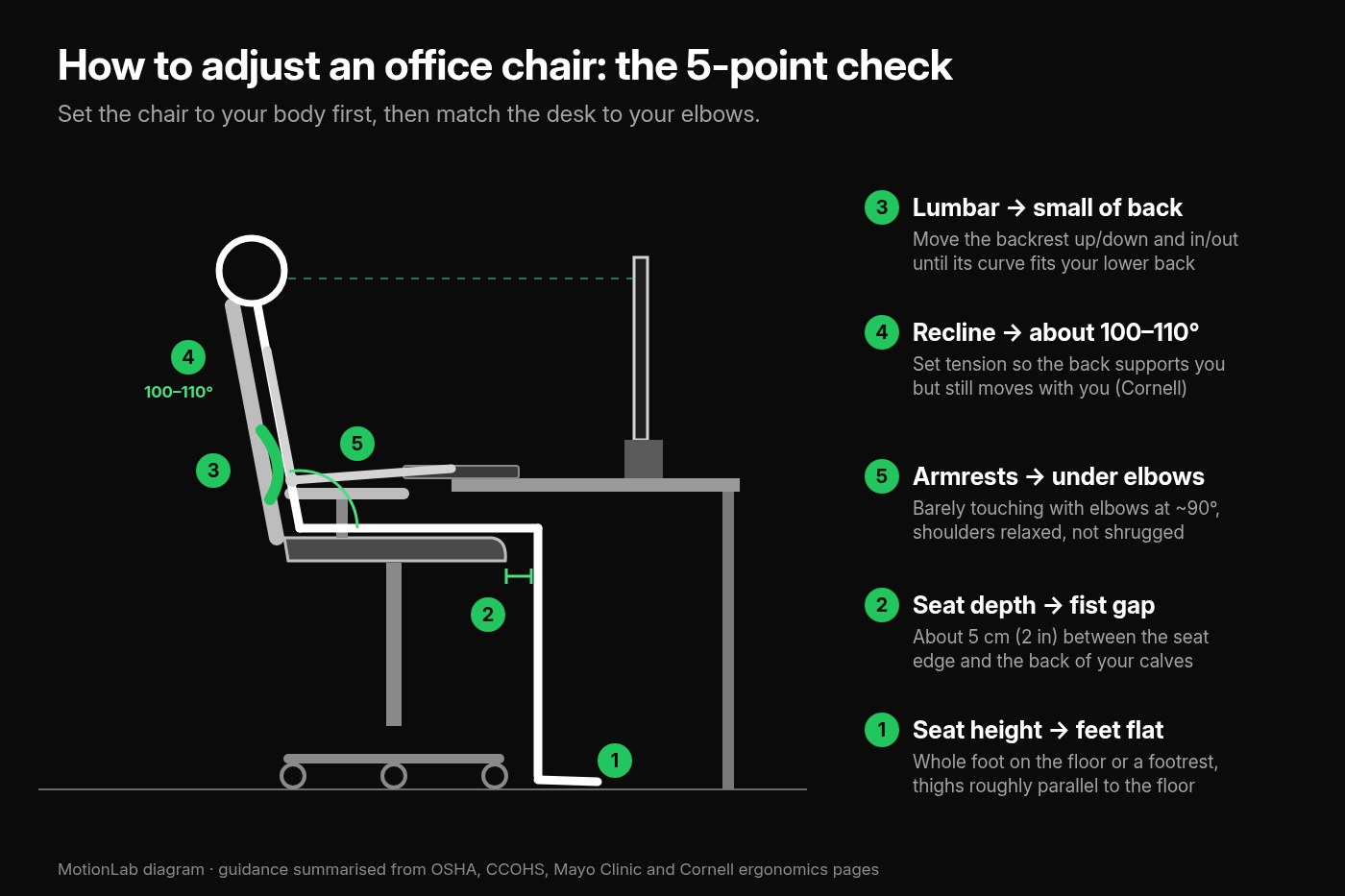
How to Adjust an Office Chair. Set the seat so feet rest flat and thighs are level, leave a fist gap behind your knees, fit the lumbar curve, recline slightly, and drop armrests to elbows. Start with seat height: feet flat on the floor or a footrest and thighs roughly parallel to the floor (Mayo Clinic, OSHA) Leave about a clenched fist (5 cm or 2 inches) between the front of the seat and your calves, and set the backrest so its curve fits the small of your back (CCOHS)

Key Takeaways
- ✓Start with seat height: feet flat on the floor or a footrest and thighs roughly parallel to the floor (Mayo Clinic, OSHA)
- ✓Leave about a clenched fist (5 cm or 2 inches) between the front of the seat and your calves, and set the backrest so its curve fits the small of your back (CCOHS)
- ✓Sit back in a slight recline of about 100–110° instead of bolt upright at 90°, with enough tension that the backrest supports you and still moves with you (Cornell)
- ✓Set armrests so they barely touch the undersides of your elbows with your shoulders relaxed, then bring the desk or keyboard to elbow height
How Do You Adjust an Office Chair?
To adjust an office chair, work from the floor up: set the seat height so your feet rest flat and your thighs are roughly level, set the seat depth so a fist fits between the seat edge and your calves, move the backrest until its curve sits in the small of your back, set a slight recline, and lower the armrests until they just touch your elbows.
Most office chairs have four or five levers and knobs under the seat, and most people never touch them after the box is opened. That is a problem, because a chair that is set up for someone else, or for nobody, quietly decides how you sit for eight hours. So how do you adjust an office chair so it actually fits you?
The workplace safety sources agree on the basics. OSHA’s chair guidance says the backrest should follow the natural curve of your spine with lumbar support, the seat should let your feet rest flat on the floor or a footrest, and armrests should let your shoulders relax with your elbows close to your body. CCOHS’s guide to adjusting office chairs turns that into a short sequence you can do in a couple of minutes. Mayo Clinic’s office ergonomics guide adds the thigh cue, and Cornell University’s ergonomics guidelines make the case for a slight recline over a rigid 90° sit.
This guide walks through each adjustment in order, with what to do when your chair or desk will not cooperate.
Why Does Office Chair Setup Matter?
Your chair is one of three contact points that shape your posture at a desk. CCOHS lists them as the seat, the work surface, and the floor, and says that for a comfortable posture at least two of the three need to be adjustable. If you can only afford one adjustable item, CCOHS calls a fully adjustable chair a “must.”
OSHA describes what goes wrong when the chair does not fit:
- Seat too high: your feet dangle, or you slide forward to reach the floor and lose the backrest. OSHA links this to fatigue, restricted circulation, swelling, numbness, and pain.
- Seat pan too long: the front edge presses behind the knees of shorter users and stops them sitting back against the lumbar support.
- Seat pan too short: taller users carry more weight on the buttocks with too little thigh support.
- No usable lumbar support: the backrest cannot help hold the natural S-curve of the spine, which OSHA links to back pain and fatigue.
- Armrests too high: your shoulders stay raised all day, tensing the neck and shoulders. Too low, and you lean to one side to reach them. Too wide, and your elbows reach out from your body.
None of that is dramatic in a single hour. Over a working week, it is the difference between leaving your desk stiff and leaving it fine.
How Do You Adjust an Office Chair Step by Step?
Do the chair first, while you sit in it, then match the desk to the chair. CCOHS’s order is a good default:
1. Set the seat height
Stand in front of the chair and adjust it so the highest point of the seat is just below your kneecap (CCOHS). Then sit back. Your feet should rest flat on the floor and your thighs should be roughly parallel to it (Mayo Clinic). OSHA’s check is that the whole sole of your foot rests on the floor, with the back of your knee slightly higher than the seat.
2. Set the seat depth
Sit all the way back against the backrest. You should be able to fit a clenched fist, about 5 cm or 2 inches, between the front edge of the seat and your calves (CCOHS). If the edge touches the back of your knees, slide the seat back or move the backrest forward. If there is a lot more than a fist, slide the seat forward so your thighs are supported.
3. Fit the backrest and lumbar support
Move the backrest up or down, and forward or back, until its curve fits the hollow in your lower back (CCOHS). OSHA says the outward curve of the backrest should sit in the small of the back.
4. Set the recline and tension
Unlock the backrest and lean back until you are in a slight recline, about 100–110° between your torso and thighs (Cornell). Turn the tension knob until the backrest holds you there without pushing you forward or letting you fall back.
5. Set the armrests
Sit up with your arms hanging by your sides and bend your elbows to about 90°. Raise or lower the armrests until they barely touch the undersides of your elbows (CCOHS). If they push your elbows up even at their lowest setting, or stop you pulling in to the desk, remove them or move them out of the way.
6. Check the seat tilt, if you have one
Leave the seat level unless a small forward or backward tilt feels better. CCOHS says to tilt it “if you prefer,” and Cornell calls adjustable seat tilt not essential in most situations.
7. Match the desk to the chair
Pull in close. Your elbows should be at about the same height as the work surface or keyboard. If the desk is too high, raise the chair and put a footrest under your feet. If your legs do not fit underneath, the desk is too low (CCOHS).
Quick self-check
sit back, drop your shoulders, and put your hands on the keyboard. Your feet should be supported, your back should be touching the backrest, and your shoulders should not rise when your forearms reach the keys. If any one of those fails, go back to the step that controls it.
How High Should Your Office Chair Be?
High enough that your thighs are about level, low enough that your whole foot is on the floor. That is the core of every guideline:
- Mayo Clinic: feet flat on the floor, or a footrest so your thighs are parallel to the floor
- OSHA: the entire sole of your foot on the floor, with the back of the knee slightly higher than the seat
- Cornell: the front of your knees level or slightly below level, with your feet firmly on the ground
- CCOHS: when you stand in front of the chair, the top of the seat is just below your kneecap
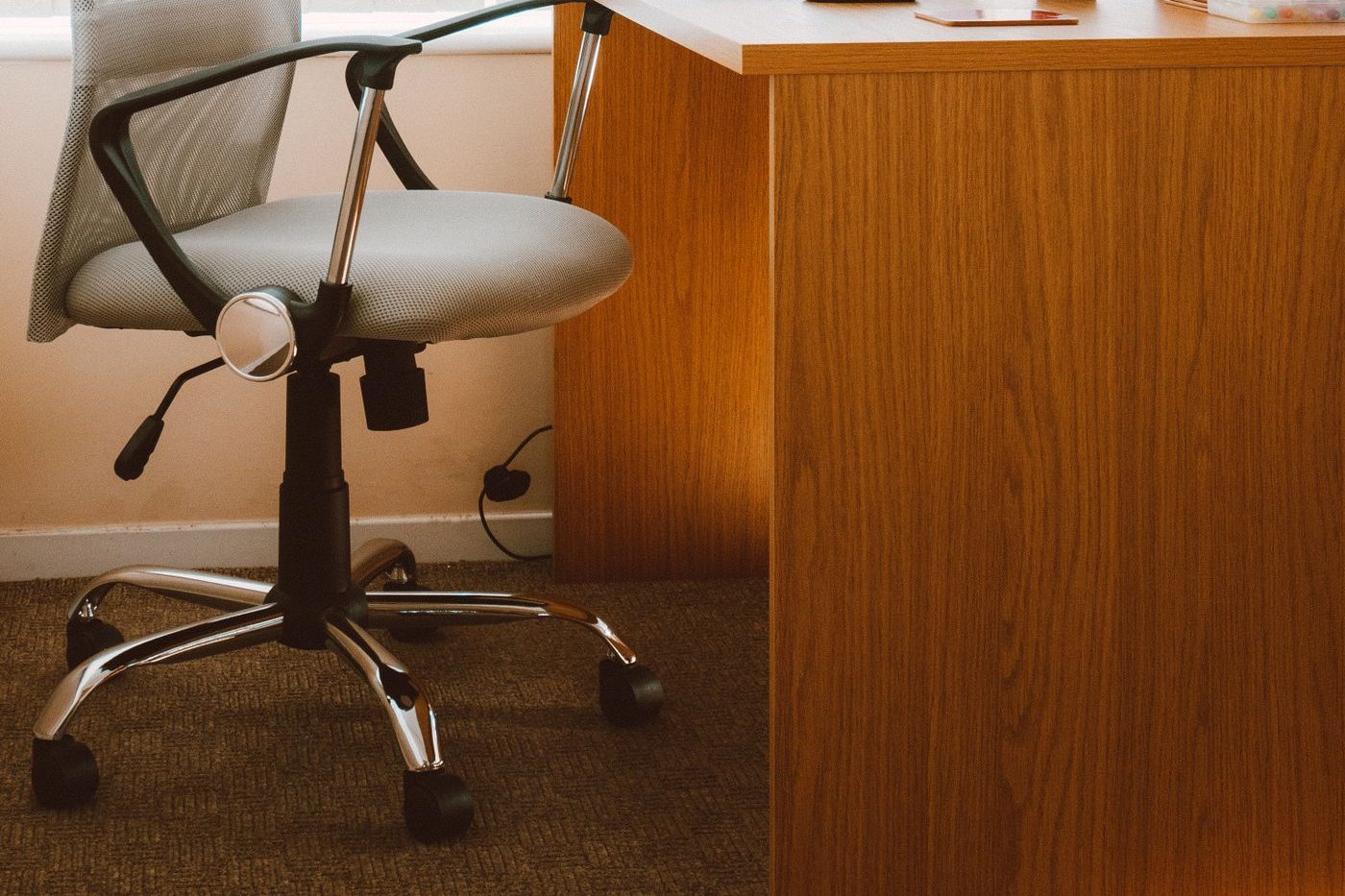
For a rough starting point, CCOHS’s chair selection guide says the optimal seat height is about one quarter of your body height, and immediately warns that this is only a rule of thumb because leg-to-torso proportions vary a lot. Use it to get close, then trust the foot and thigh check.
The usual conflict is the desk. Most fixed desks are built for an average adult, so shorter people raise the chair to reach the desk and then their feet dangle. The fix is not to sit lower and shrug. Raise the chair to elbow height and support your feet. OSHA recommends a footrest when the seat cannot be lowered, and Mayo Clinic says a small stool or a stack of sturdy books works if you do not have one. CCOHS adds that the footrest should support both feet, flat and firm.
If you can stand at your desk too, the same elbow rule decides the height there; see how high should a standing desk be.
Where Should the Lumbar Support Be on an Office Chair?
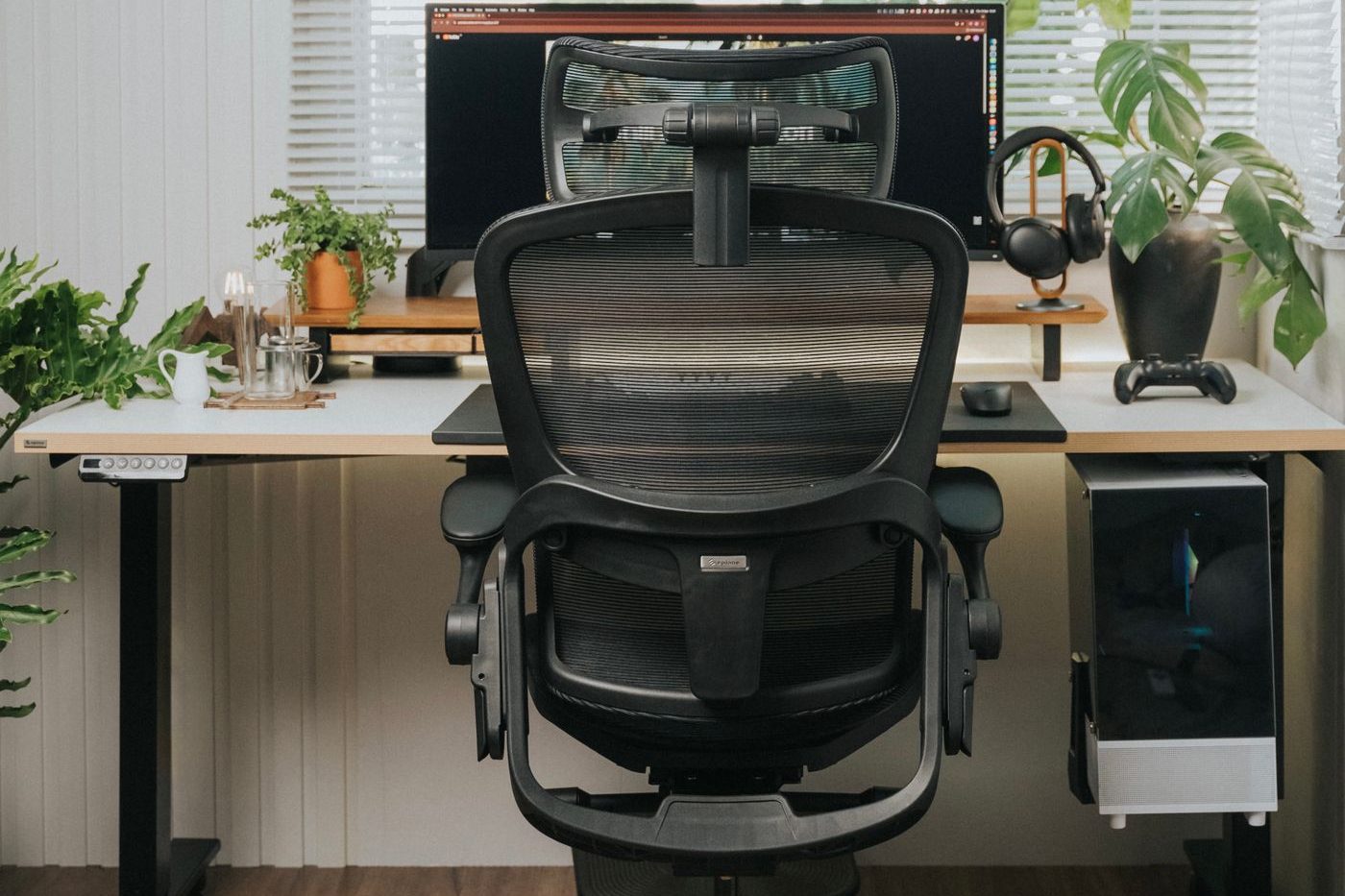
In the small of your back, roughly at belt height, where your lower spine naturally curves inward. OSHA says the lumbar support should be height adjustable so it can be placed to fit your lower back, with the outward curve of the backrest fitting into that hollow.
How to find it:
- Sit all the way back first. Lumbar support only works if your pelvis is against the backrest, which is why seat depth comes before lumbar.
- Move the backrest or lumbar pad up and down until the firmest part of the curve meets the inward curve of your lower back. Too low and it pushes on your pelvis; too high and it pushes into your mid-back.
- Adjust the depth if your chair allows it. You want firm contact, not a push that arches you forward.
- Check hip room. Cornell’s chair checklist points out that if there is not enough space for your hips when you sit back, you end up perched forward with too little thigh support.
No lumbar adjustment at all? OSHA suggests a rolled-up towel or a removable back cushion as a temporary fix to support the natural curve. Place it at the same belt-height spot.
A headrest, if your chair has one, is for leaning back during pauses and calls. It should not push your head forward while you work. For more on the seated position as a whole, see how to sit at a desk without back pain.
Should You Sit Upright at 90° or Recline in an Office Chair?
A slight recline is usually better than sitting bolt upright. Cornell University’s ergonomics guidelines put it plainly: studies show the best seated posture is a reclined posture of 100–110°, not the upright 90° posture that is often pictured. In that position the chair starts to carry some of your weight, and Cornell reports significant decreases in postural muscle activity and in disc pressure in the lower back.
What that means for the recline controls:
- Your chair should be able to recline. OSHA says a backrest should allow you to recline at least 15° from vertical, and either lock in place or have adjustable tension so it gives enough resistance.
- Set the tension to your body. Too loose and you have to brace to stay upright; too tight and you get pushed forward toward the desk. You want the backrest to follow you when you lean back and bring you up when you sit forward.
- Don’t leave it locked bolt upright all day. Cornell says locking the backrest in one position generally isn’t recommended, because moving while you sit helps keep the spine healthy. A free-floating back with good tension lets you shift through the day.
- Keep the screen and keyboard in reach. A recline only helps if you do not have to crane forward to see or type. Cornell’s arm test is a useful check: sitting back, hold your arm out and your fingertips should almost reach the centre of the screen. For screen height, see how high should your monitor be.
If you lean forward for focused writing and back for reading or calls, that is fine. The goal is a chair that supports you in both, not one rigid “correct” angle.
How Should You Set Office Chair Armrests?
Low enough that your shoulders stay relaxed, close enough that your upper arms stay by your sides. CCOHS’s method: sit with your arms hanging loosely, bend your elbows to about 90°, and set the armrests so they barely touch the undersides of your elbows. If even the lowest setting lifts your elbows, take the armrests off.
OSHA adds the rest of the checklist. Properly adjusted armrests are:
- Low enough that your shoulders are relaxed, not hitched up
- High enough to support your forearms when your arms are comfortably at your sides
- Close enough that your upper arms stay near your body, not winged out
- Wide enough that you can get in and out of the chair easily
- Soft, with rounded edges, so they do not press on the nerves and blood vessels of the forearm
Armrests that are too long or fixed too high can also stop you pulling the chair in to the desk, so you end up reaching for the keyboard. CCOHS notes that armrests extending 25 cm (10 inches) or less from the back of the seat let you move closer to the desk while still giving your arms a place to rest.
One caution on how you use them. Cornell advises against resting your forearms on the armrests while you type or use the mouse, because it can compress the forearm muscles and the ulnar nerve at the elbow. Use them for support during pauses, calls, and reading. For hand and keyboard position while typing, see what is the correct wrist position for typing.
What If Your Office Chair Isn’t Adjustable?
You can still get most of the way there with a few cheap fixes:
- Seat too low: add a firm, flat cushion to raise you toward elbow height.
- Seat too high for your feet: add a footrest, or as Mayo Clinic suggests, a small stool or a stack of sturdy books.
- No lumbar support: use a rolled-up towel or a back cushion at belt height (OSHA).
- Seat too deep: a back cushion moves you forward so the seat edge clears your knees.
- Armrests in the way: remove them if they come off, or sit so they are not under your forearms while you type.
- Desk too low: Mayo Clinic suggests putting sturdy boards or blocks under the desk legs. Too high: raise the chair and support your feet.
If you are choosing a new chair, CCOHS’s list is a good filter:
- Controls you can reach and operate while sitting
- A seat that adjusts for height and tilt, with a front edge that curves down
- A backrest shaped to support the lower back, adjustable up and down and forward and back
- A stable five-point base with casters suited to your floor, and a swivel
- Armrests that adjust to elbow height and do not get in the way
Cornell adds two practical tests: the seat pan should be at least an inch wider than your hips and thighs on each side, and it should still feel comfortable after 60–120 minutes of sitting. A chair that feels great for two minutes in a shop can feel very different by mid-afternoon.
What Mistakes Make an Office Chair Uncomfortable?
- Never adjusting it. A chair left at the height of its previous owner, or of the warehouse, fits nobody.
- Setting the chair to the desk first and leaving your feet dangling, instead of raising the chair and adding a footrest.
- Perching on the front edge, so the backrest and lumbar support do nothing.
- Seat too deep, so the front edge presses behind your knees and you slide forward to escape it.
- Lumbar pad at the wrong height, pushing into your pelvis or mid-back instead of the small of your back.
- Backrest locked bolt upright all day, or tension so loose you brace with your abs to stay up.
- Armrests set high, which keeps your shoulders shrugged for hours.
- Leaning on armrests while typing, pressing on the forearm and elbow.
- Sharing a chair and never resetting it. OSHA notes adjustability matters most when a chair has several users. If you hot-desk, learn your settings and reset them each time.

Working mostly from a laptop? The chair can be perfect and you will still hunch if the screen sits on the desk. See how to set up a laptop for desk work.
How Often Should You Get Up From Your Office Chair?
Even a perfectly adjusted chair is still one position held for a long time. Mayo Clinic is direct about it: no matter how well your workspace is set up, sitting in the same position for hours isn’t good for your body, so get up and walk around as often as you can.
Cornell’s guidelines give a simple rhythm:
- Micro-breaks of under two minutes between bursts of work: stand, stretch, or switch tasks
- A short rest break every 30–60 minutes: stand up, move around, get a drink of water
- Exercise breaks every 1–2 hours with a few gentle stretches
Your chair can help with this. A backrest with good tension and a seat you can easily get out of make shifting position the default, rather than something you have to remember.
For the walking side, see how often should you take a walking break from sitting; for moves you can do beside the chair, use the desk stretches routine. If you would rather have that part planned for you, MotionLab builds guided mobility sessions of 7, 15, or 25 minutes around your restrictions, using AI powered by Gemini. MotionLab is live on the web and Android; start at /signup when you’re ready.
When Should Sitting Pain Get Professional Care?
This article is educational, not a diagnosis. Adjusting your chair and taking regular breaks is reasonable when discomfort is mild, clearly linked to sitting, and eases when you move or change your setup.
See a doctor or physiotherapist if you have:
- Pain that travels down a leg, especially below the knee
- Numbness, tingling, or weakness in a leg, foot, arm, or hand
- Back pain after a fall or injury
- Pain that wakes you at night or is there even when you are lying still
- Any change in bladder or bowel control, or numbness around the groin, which needs urgent care
- Symptoms that keep getting worse despite a sensible setup and regular breaks
Early assessment is easier to act on than months of working through it.
How to Adjust an Office Chair FAQ
How do you adjust an office chair?
Set the seat height so your feet are flat and your thighs roughly parallel to the floor, set the seat depth so a fist fits between the seat edge and your calves, move the backrest so its curve fits the small of your back, set a slight recline with comfortable tension, and lower the armrests until they barely touch your elbows. Then bring the desk or keyboard to elbow height.
How high should my office chair be?
High enough that your thighs are about level, or your knees slightly lower, with your whole foot flat on the floor. If you have to raise the chair to reach the desk and your feet no longer reach the floor, use a footrest.
Should my feet touch the floor when I sit in an office chair?
Yes, or rest flat on a footrest. OSHA and Mayo Clinic both say your feet should be supported. Dangling feet put pressure on the backs of your thighs and tend to make you slide forward off the backrest.
How much space should be between the seat and my knees?
About a clenched fist, roughly 5 cm or 2 inches, between the front edge of the seat and your calves, sitting all the way back (CCOHS). If the seat edge presses behind your knees, the seat is too deep for you.
Should an office chair be at 90 degrees?
Not necessarily. Cornell’s ergonomics guidelines say a slight recline of about 100–110° reduces postural muscle activity and lower-back disc pressure compared with a rigid upright 90° posture. Keep the screen and keyboard close enough that you are not leaning forward to reach them.
How high should office chair armrests be?
Just touching the undersides of your elbows when your arms hang by your sides and your elbows are bent about 90°, with your shoulders relaxed. If they lift your shoulders or stop you getting close to the desk, lower or remove them.
Where should lumbar support be on an office chair?
In the small of your back, about belt height, where your lower spine curves inward. If your chair has no lumbar adjustment, a rolled towel or back cushion in that spot is a reasonable temporary fix.
Sources
Related reading
Put it into practice
Ready to apply what you've learned?
MotionLab builds personalised mobility sessions around your specific restrictions — so every minute you invest targets what you actually need.
Start a session on MotionLab →